It is barely nine in the morning, but the workday already feels crowded. A client is waiting for a reply, a proposal needs another revision, someone is looking for the latest document, and a deadline is approaching. In a small business, the same person often handles several responsibilities, so even routine work can take more time than expected.
The instinctive response is to look for another app. One tool manages tasks, another stores documents, and a third handles meetings. Yet the best productivity tools for small teams are not necessarily the ones with the longest feature lists. What matters is whether everyone can follow the work without constantly asking where things stand.
Why adding more apps does not always make work easier
Consider a team that receives customer requests by email, discusses them in chat, keeps working files in individual folders, and tracks deadlines in a spreadsheet maintained by one person. Everyone is busy, but when the manager asks for an update, nobody has a complete picture.
That is not automatically a people problem. It may be a workflow problem. When information is scattered across too many places, employees spend valuable time finding the right file, confirming who owns a task, or piecing together decisions from earlier conversations.
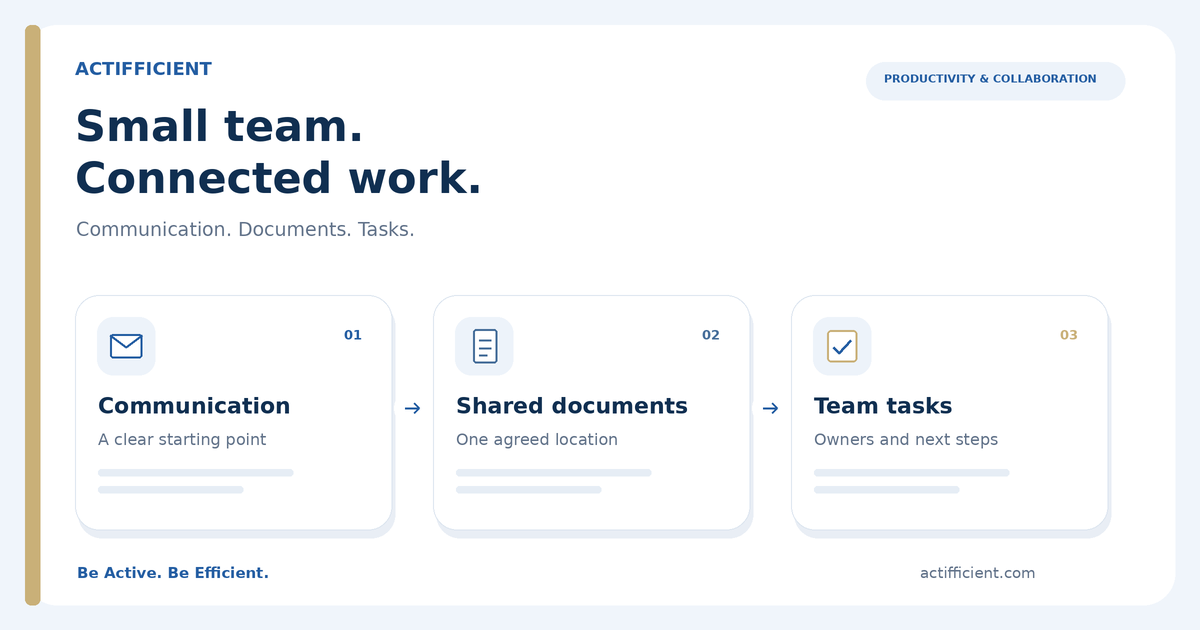
Before investing in more business productivity tools, look at three everyday questions: How does work arrive? Where do files live? How does the team track follow-up? These questions help you choose team collaboration tools around the way your business actually works.
Start with three everyday needs
1. A reliable place for business communication and schedules
A professional email address does more than create a good first impression. It gives the team a familiar place for client correspondence, meeting invitations, and scheduling. Outlook in Microsoft 365 brings business email and calendars into a connected work environment.
Businesses can also use a professional business email address based on a domain they own, such as name@yourcompany.com. The domain itself is a separate requirement and is not automatically included in a license. Actifficient can assist with the Microsoft 365 email setup once the domain and business requirements are confirmed.
A professional business email system works best when the team also agrees on basic habits: who responds to incoming requests, how quickly clients should hear back, and where important follow-up actions are recorded.
2. Shared files that people can actually find
Almost every small team has encountered document names such as Proposal_Final, Proposal_Final_v2, and Proposal_Really_Final. Multiple copies make it harder to know which version is approved, especially when several people are contributing.
Microsoft OneDrive supports file storage and access, while SharePoint supports shared team content and document management. Together, they provide options for cloud file sharing for business without relying entirely on attachments sent back and forth. Good naming rules and appropriate access permissions still matter; no storage app can organize a team's working habits on its own.
Even the most useful team collaboration tools cannot tell people which document is ready for review unless the team agrees on its process. Setting a clear shared location is often a better starting point than moving every old folder into the cloud at once.
3. Tasks that have clear owners and deadlines
A meeting should lead to action, not another meeting to rediscover the same issues. Team members need to know which tasks are assigned to them, when those tasks are due, and what is waiting for a response.
Microsoft Planner helps teams organize shared work, assign tasks, and monitor progress. Microsoft To Do is designed around personal task lists and daily priorities. For task management for small teams, this distinction is useful: a shared plan makes team responsibilities visible, while personal lists help individuals stay focused on their next steps.
Effective task management for small teams also requires realistic deadlines and clearly assigned owners. A colorful task board cannot solve confusion if every item remains everyone's responsibility.
What about chats and online meetings?
Quick conversations are still important, particularly when colleagues work from different locations. Microsoft Teams supports workplace chat, calls, and online meetings, and can work alongside other Microsoft 365 applications. However, Microsoft offers business plans with and without Teams, so availability depends on the license selected.
When choosing online collaboration tools, it pays to check what your team actually needs. A business that relies heavily on virtual meetings should confirm that the chosen subscription includes the required communication features before purchasing.
A practical example: from client request to completed work
Imagine a small consulting firm receiving a request for a new proposal. The request arrives through business email. A team member is assigned to prepare the draft, another reviews the content, and the deadline is recorded in a shared plan. The document stays in an agreed file location rather than being recreated from a series of email attachments.
If the client requests a change, the team can return to the relevant file and task instead of retracing every conversation. Consistent cloud file sharing for business allows reviewers to work from an agreed location instead of emailing one more attachment.
This is the real purpose of small business productivity software: a clearer path from receiving work to completing it, with fewer missing pieces along the way. The best business productivity tools support a process that the team understands, rather than giving everyone one more place to check.
Is Microsoft 365 a good fit for a small business?
Microsoft 365 for small business combines tools for email, documents, cloud storage, and work coordination. Microsoft 365 Business Basic, for example, includes web and mobile versions of Word, Excel, and PowerPoint rather than the full desktop applications. A business requiring desktop Office apps may need a different plan, such as Business Standard; Teams inclusion also needs to be verified.
The right choice depends on everyday work, not on the number of available features. How many people need accounts? Does the team rely on desktop Office software? Are documents mainly personal or shared? Do online meetings play a central role? A few clear answers will narrow down which productivity tools for small teams are worth considering.
Small teams do not need complicated systems to work professionally. They need information that is easier to find, tasks with clear ownership, and communication that does not disappear into scattered conversations. With suitable small business productivity software and a few consistent habits, even a busy workday becomes easier to manage.
Want to make your team's workflow simpler without paying for tools you do not need? Actifficient can help review your requirements, explain whether Microsoft 365 for small business fits your workflow, recommend an appropriate license, and support business email and workspace setup. Contact Actifficient for a consultation.