A customer asks whether a size is back in stock. Another wants to change a delivery address. A third has been waiting since yesterday for an update on a refund. All three conversations arrive through the same WhatsApp number, but different people in the business are responsible for answering them.
At first, a small team can handle that informally. As messages grow, however, the challenge changes. The question is no longer simply how to reply to more chats. It is how to make sure the right person sees each message, knows what happened earlier, and follows through. That is usually when companies start exploring a shared WhatsApp inbox or WhatsApp Business API.
When does one WhatsApp number become difficult to manage?
The warning signs are often quite ordinary. Two agents answer the same customer. Someone assumes a colleague has replied, but the message remains open. A customer explains the same issue to a second person because the previous conversation was not handed over properly.
In a growing customer support team, these small gaps become expensive in time and trust. Staff spend their day asking who owns a conversation, while managers struggle to see which requests are still waiting. A better WhatsApp conversation management process starts by making responsibility visible.
There is a useful distinction here. Sharing one number across several devices is not the same as having a coordinated service process. The latter requires clear assignment, customer context, and an agreed way to escalate problems.
Is the WhatsApp Business app enough for multiple agents?
For many small businesses, yes. The WhatsApp Business app includes business profiles, automated greetings, and tools for organizing and answering customer messages. Meta also supports linking additional devices to a WhatsApp Business account, within product limits. That can help several employees access messages, but it does not by itself provide the assignment rules and reporting features of a dedicated team inbox. If the team receives a manageable number of inquiries and everyone knows who handles what, there may be no reason to change platforms immediately.
The situation is different when sales, order administration, and support all rely on the same number. A company might need separate queues, agent assignments, reporting, or connections to its customer records. That is where a WhatsApp platform for multiple agents can become worth evaluating.
The term WhatsApp Business API describes the business messaging interface, not a complete customer service platform on its own. A separate platform or integration supplies functions such as a team inbox, assignment rules, dashboards, and workflows. When comparing solutions, ask the provider to demonstrate those features rather than assuming that the API automatically includes everything.
What a shared WhatsApp inbox changes in everyday work
Consider an online retailer that has three teams. Sales answers product questions, operations handles shipping, and support deals with problems after delivery. Without clear routing, every agent must decide whether a new message belongs to them.
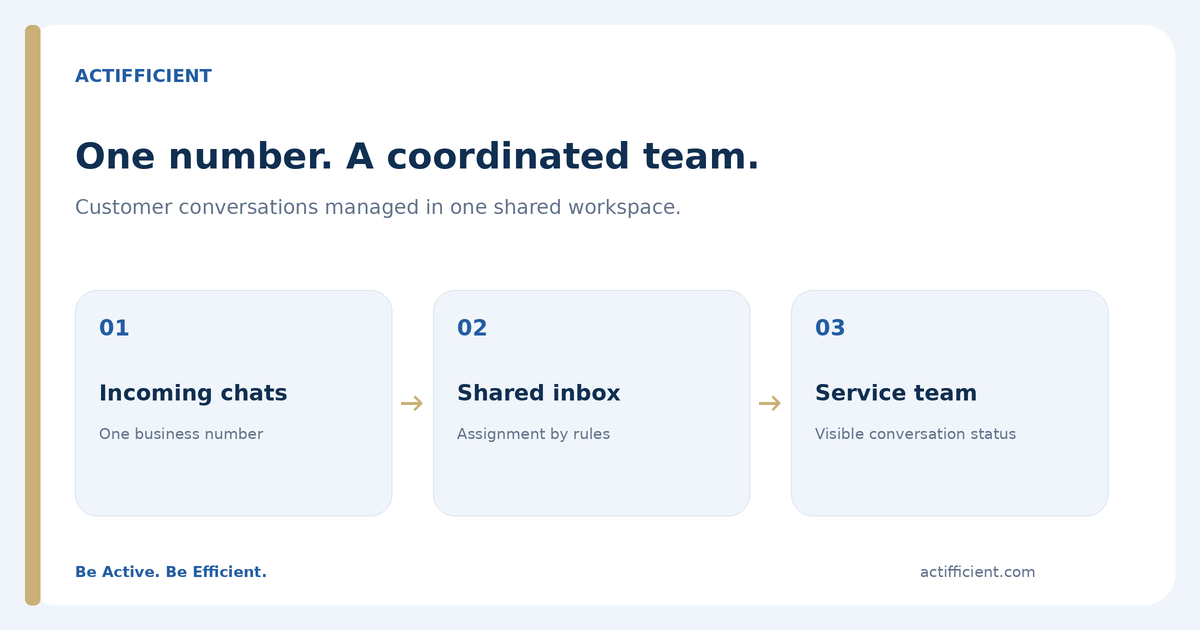
A shared WhatsApp inbox can bring conversations into one working view. Depending on the platform and configuration, staff may see the assigned agent, conversation status, and relevant history. This helps the next person continue the discussion without repeatedly asking the customer for information already supplied.
With automated chat routing, incoming inquiries can be distributed according to rules agreed by the business. A request about delivery can be directed to operations, while a sales inquiry goes to the team responsible for new orders. Automation still needs testing. Routing rules do not know every business exception, and customers should have a path to a human agent when necessary.
Some companies also use an omnichannel inbox to manage other supported channels alongside WhatsApp, for example Instagram. The specific channels depend on the provider, integration, and subscription. It is better to check the actual list than assume every social channel is included.
Why customer context matters more than a fast first reply
A rapid acknowledgement can be useful, but speed alone does not solve a complaint. Imagine a customer who has already shared an order number, a screenshot, and the date of an unsuccessful delivery. When another agent takes over, asking for the same details again makes the conversation feel disconnected.
In practice, customer service on WhatsApp works better when every agent knows who owns a conversation and how to hand it over. The team can agree on when a case should be escalated, what information must accompany the handover, and when an agent should follow up. These are operational decisions, not just software settings.
This is also why customer support automation should be used thoughtfully. A chatbot can help with opening hours, basic order questions, or collecting details before an agent takes over. More complicated issues, disputed payments, and sensitive complaints may require human judgment. The goal is to reduce repetitive work without making customers fight an automated menu.
How to evaluate WhatsApp customer service software
Before requesting a demo, gather a little evidence from the team's actual work. How many conversations arrive on a busy day? Which topics are repeated? How often do agents transfer a case? Which unanswered messages create the most trouble?
Ask vendors to show a complete example in their WhatsApp customer service software: a customer starts a conversation, the inquiry is assigned, the next agent sees the context, and a supervisor reviews its progress. A polished opening screen is less useful than watching what happens when a problem is handed from one team to another.
There are also practical details to check. Does the platform support the number and channels you need? Can it connect to your CRM? How are different agent permissions managed? Which reports are included? What happens if the team needs more users later? Some capabilities require separate modules or integrations.
If your business plans to initiate campaigns, ask separately about customer consent, approved message templates, WhatsApp policies, and messaging fees. Those requirements are different from simply answering an incoming support request.
How to know whether a new system is actually helping
Do not judge a new WhatsApp customer service software deployment only by the number of messages sent. Start with a few service questions: Are fewer conversations left unassigned? Do agents know when to step in? Are customers having to repeat themselves less often? Can supervisors locate pending requests without asking everyone individually?
A practical omnichannel customer service setup should make ownership clearer, not add another layer of administration. Review it after the team has used the workflow in real situations, then adjust routing and responsibilities where necessary.
Give the team a clearer way to handle customer messages
A single business number can still offer a consistent customer experience, even when many employees are involved. The important part is not simply adding agents. It is creating a dependable way to receive, assign, resolve, and review conversations.
Actifficient helps businesses evaluate WhatsApp Business API and omnichannel communication solutions based on their customer workflows, staffing, and integration needs. If your team is considering a shared WhatsApp inbox, request a consultation to discuss the process you want to improve before choosing a package.